LinkedIn Profile Optimization: 7 Practical Steps to Get Recruited
A LinkedIn profile rewrite guide for improving recruiter search fit, referral context, headline clarity, About-section proof, and featured work.
Recruiters use LinkedIn differently from a resume: they scan the headline, current role, location, keywords, proof, and whether the profile matches the role they are sourcing.
What to prepare first
- Write the headline for recruiter search and human scanning, not for clever branding.
- Use the About section to connect target role, proof, constraints, and current search direction.
- Choose Featured items that prove the work, such as portfolio samples, case notes, GitHub, writing, or project demos.
- Align LinkedIn, resume, and outreach so referrals do not see three different stories.
Starting point
Start with the recruiter query, not the profile banner
Most LinkedIn profile rewrites begin in the wrong place. Candidates adjust banners, slogans, and emoji before deciding which recruiter query they want to appear for.
A useful profile starts with one target role family, two or three role keywords, location or remote preference, and proof that matches the work. Design comes after clarity.
The goal is simple: when a recruiter or referrer lands on the page, they should understand the candidate target within a few seconds.
- Pick one target role family before rewriting the headline.
- Use role language recruiters actually search for.
- Keep location, work mode, and domain signals consistent.
- Remove claims that are not supported later in the profile.
Headline and About
Make the headline searchable and the About section believable
The headline should combine role target, strongest skill area, and useful domain context. It should not try to carry the whole career story.
The About section has a different job: connect the candidate past work to the target role, show proof, and make the next conversation easier for a recruiter or referrer.
| Profile area | What it should do | Weak version to avoid |
|---|---|---|
| Headline | Signal target role, core skill, and domain context | Open to opportunities | passionate learner |
| About opening | Explain current direction in plain language | A long motivational paragraph |
| Proof lines | Show projects, metrics, systems, customers, or outcomes | Generic strengths with no evidence |
| Closing | Name the roles or conversations the candidate wants | Please check my profile |
Proof sections
Use Experience, Featured, and Skills as evidence, not decoration
A profile can look polished and still fail if the proof is buried. Experience bullets should connect work to outcomes. Featured items should show artifacts. Skills should support the target role rather than list every tool ever touched.
Before adding more sections, ask what a recruiter would need to believe before sending a message.
- Rewrite the first two Experience bullets around target-role proof.
- Add one Featured item that shows actual work or a useful artifact.
- Pin skills that match the target role and remove stale noise.
- Make the profile and resume use the same core evidence.
Referral use
Make the profile easy for someone else to forward
Referrals often fail because the profile forces the referrer to explain too much. The target role, evidence, and recent work should be visible enough that a short message makes sense.
A candidate can use ConnectsBlue to compare target roles and prepare resume evidence, then use that same evidence to tighten the LinkedIn profile before outreach.
- Write a one-line referral context note before sending outreach.
- Make the profile headline match the target role in that note.
- Keep proof links current and accessible.
- Review recruiter responses before changing the profile again.
Product proof
ConnectsBlue jobs shown as a real search surface
The article links search advice to real job discovery pages where candidates can browse active roles and compare fit before applying.
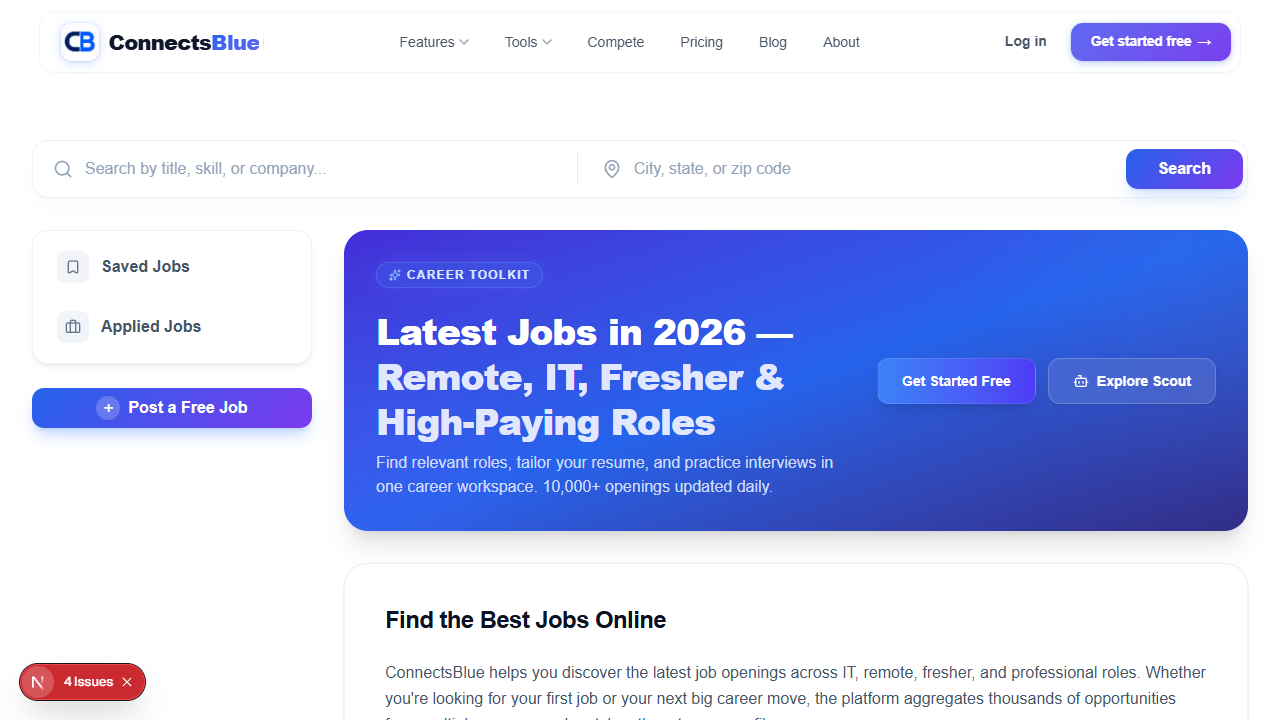
Screenshot captured from the public ConnectsBlue product experience.
Before publishing
Before updating the LinkedIn profile
Use this checklist to confirm the profile is searchable, credible, and consistent with the resume and outreach message.
- Choose one target role family and three search keywords.
- Rewrite the headline around role, skill, and domain context.
- Use the About section to connect past work to the target role.
- Add or update one proof item in Featured.
- Align LinkedIn, resume, and outreach language.
- Review profile views, recruiter messages, and referral replies after two weeks.
LinkedIn checks
Questions candidates ask before rewriting LinkedIn
What is the most important LinkedIn section for recruiters?
The headline and current role are usually scanned first, but the About and Experience sections must support the same target. A searchable headline without proof still feels weak.
Should my LinkedIn profile repeat my resume?
It should use the same evidence, but not the same format. LinkedIn should make the target role and proof easy to understand quickly, while the resume gives the fuller role-specific detail.
How many keywords should I add?
Use a small set of keywords that match real target job descriptions. Adding every possible skill makes the profile look unfocused and harder to trust.
What should I put in Featured?
Use artifacts that prove the target role: portfolio work, GitHub projects, writing, case studies, demos, presentations, or measurable project notes.
Use the workflow
Make the profile easy to search and easy to trust
Start with target-role evidence, then rewrite the visible sections that recruiters and referrers actually use.
Related Guides
Continue with practical articles on the same theme
Protect Your Mental Health During a Long Job Search
A practical guide for protecting energy during a long search by limiting low-quality applications, tracking signals, and keeping follow-up habits sustainable.
Remote Work Salaries: How Global Pay Bands Are Changing
This salary guide keeps negotiation practical: know the range, document impact, understand tradeoffs, and decide what matters before the call.
Networking in the Digital Age Without Sounding Transactional
This networking guide focuses on credibility: who to contact, what to say, when to follow up, and how to keep the relationship useful.
