Resume workspace
Resume Builder Guide: Create ATS-Friendly Resumes
A practical guide to turning your education, projects, internships, and work history into a clear resume that both recruiters and screening systems can read.
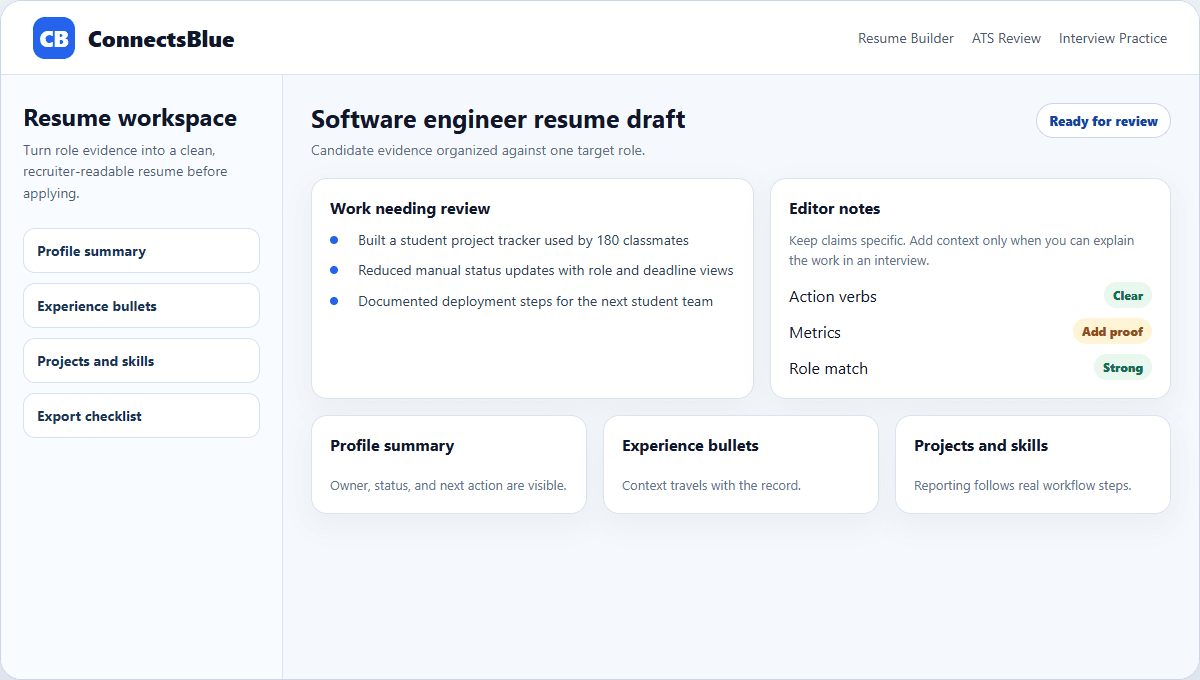
A resume builder is useful only when it helps you write a more honest and readable resume. It should not invent your story, inflate claims, or hide weak sections behind decoration.
This guide explains how to use ConnectsBlue as a drafting workspace: collect evidence, choose a role target, strengthen bullets, check format, and export a version that still sounds like you.
Starting point
Begin with the role, not the template
Most weak resumes start with a design choice. Stronger resumes start with a target role and a list of evidence that proves you can do parts of that role.
Before choosing layout, write down the role title, required skills, two or three projects, internship work, coursework, and measurable outcomes you can explain in an interview.
Step
Target role
Question to answer
What job is this version trying to support?
Resume output
A focused summary and skills list.
Step
Evidence
Question to answer
Which projects or work examples prove role fit?
Resume output
Bullets with action, scope, and result.
Step
Readability
Question to answer
Can a recruiter scan this in under a minute?
Resume output
Standard headings and clean spacing.
Step
Export
Question to answer
Which file does the employer request?
Resume output
PDF for reading, DOCX when the portal asks for it.
Writing
Use suggestions as editing prompts, not as a replacement voice
A resume should sound like a careful version of your own work. If a suggested bullet uses tools, metrics, or outcomes you cannot defend, rewrite it before downloading.
The best use of guided suggestions is editorial: make vague work specific, remove filler, add missing context, and keep the claim tied to something you actually did.
- Replace responsibility language with action language.
- Add a result only when you can explain how it was measured.
- Keep technical terms that match your actual project or internship.
- Remove adjectives that do not add proof.
Structure
Make the resume easy to parse before polishing the design
Use standard section names
Recruiters and screening systems understand headings like Education, Projects, Experience, Skills, and Certifications.
Keep contact details in the body
Avoid putting key details only in headers, footers, sidebars, or images.
Prefer one clear column
A simple document is easier to scan, copy, parse, and review on small screens.
Limit decorative elements
Icons, skill bars, and heavy visual treatments often add noise without adding evidence.
Quality check
Read every bullet as an interview promise
Every bullet creates a likely interview question. If you wrote that you improved a dashboard, led a project, or automated a workflow, be ready to describe the problem, your specific contribution, and what changed afterward.
Bullet test
Specific action
What to look for
The sentence names what you personally did.
Fix
Start with a stronger verb and remove vague ownership.
Bullet test
Useful context
What to look for
The reader knows the scale or setting.
Fix
Add team size, users, dataset, or business context when real.
Bullet test
Credible result
What to look for
The outcome is measurable or observable.
Fix
Use a number, shipped artifact, or operational improvement.
Bullet test
Interview readiness
What to look for
You can explain it without reading notes.
Fix
Rewrite anything you cannot defend clearly.
Versioning
Create a new version only when the role needs it
Do not make ten nearly identical resumes. Make a new version when the role changes enough that your strongest evidence, ordering, or keywords should change too.
For example, a data analyst resume should surface SQL, reporting, and analysis projects earlier. A frontend resume should bring UI, accessibility, and implementation examples forward.
Implementation notes
How to use this guide in a real hiring workflow
Use this article as a working review document, not just a buying overview. Compare resume builder guide: create ats-friendly resumes with the way your team currently works, then fix the places where ownership, evidence, or candidate communication is unclear.
- Name the owner for the stage before changing configuration.
- Define the evidence recruiters and managers should capture.
- Review candidate-facing messages for clarity and tone.
- Measure whether the change reduced delay, rework, or ambiguity.
Candidate questions
Resume Builder Guide: Create ATS-Friendly Resumes FAQ
Should a resume builder write my resume for me?
No. Use it to structure your evidence, improve clarity, and catch weak sections. The final claims should be accurate, specific, and easy for you to explain.
What is the safest resume format for most applications?
A clean single-column document with standard headings, text-based skills, readable spacing, and contact details in the main body is safest for most applications.
How many resume versions should I keep?
Keep a base version and create targeted versions only when the role, evidence order, or keyword set meaningfully changes.
Next step
Build a resume that stays specific to your work.
Use ConnectsBlue to organize your evidence, improve bullets, review structure, and export a resume that is readable before it is polished.
Open Resume Builder