Recruiter workspace
ConnectsBlue Recruiter Features: Hiring Workflow Guide
A practical map of how ConnectsBlue supports requisitions, sourcing, interviews, scorecards, reporting, offers, and onboarding without hiding recruiter ownership.
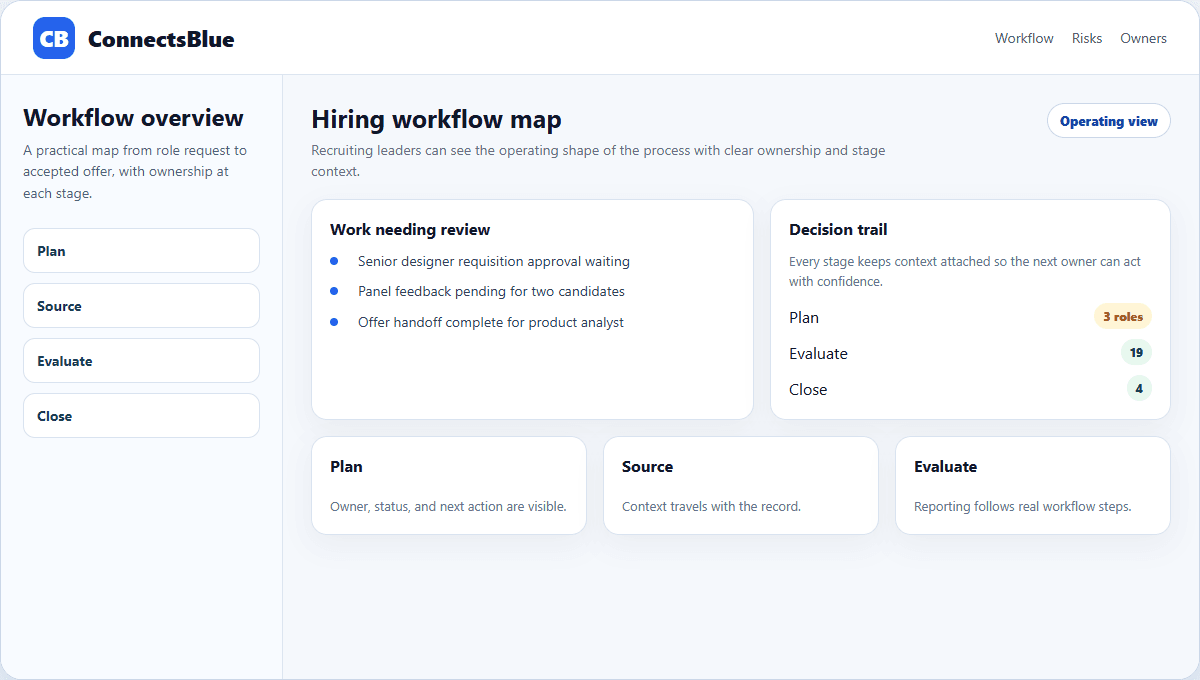
Recruiting software should make the hiring process easier to inspect. A recruiter should be able to see what role is open, where candidates came from, who owes feedback, which offer is pending, and what needs attention today.
This guide is a practical map of the recruiter-facing workflow inside ConnectsBlue. It is not a feature dump. Each area below exists to answer an operational question a hiring team faces during real work.
Operating model
Keep the hiring workflow connected from request to start date
Hiring gets messy when every stage lives in a different place: job intake in a document, candidates in an ATS, interviews in calendars, scorecards in forms, offers in email, and onboarding in chat.
The recruiter workspace should keep those steps connected enough that a new team member can understand the state of a role without reconstructing the story manually.
Stage
Plan
What the team needs to know
Which roles are approved, funded, and ready for recruiting handoff.
Related guide
Job requisition management
Stage
Source
What the team needs to know
Which channels and warm pools are producing qualified candidates.
Related guide
Source tracking and talent pools
Stage
Evaluate
What the team needs to know
Which interviews, scorecards, and feedback items are complete.
Related guide
Interview scheduling and scorecards
Stage
Close
What the team needs to know
Which offers, acceptances, and onboarding handoffs need action.
Related guide
Offer and onboarding workflows
Daily recruiter work
The useful surfaces are the ones recruiters use every day
A surface matters when it changes the recruiter worklist. It should make the daily queue clearer: stale follow-ups, missing interviewer notes, uncertain next steps, pending approvals, and roles that need a manager decision.
Daily queue
Shows which roles, people, approvals, and follow-ups need attention before the day becomes reactive.
Role board
Keeps intake status, posting readiness, manager ownership, and open blockers visible together.
Panel desk
Shows scheduled conversations, missing interviewer notes, and follow-up owners after each round.
Leadership view
Turns delays, capacity pressure, and offer movement into updates leaders can act on.
Views
Give each audience the right level of detail
Recruiters, managers, and leaders do not need the same screen. A recruiter needs a worklist. A hiring manager needs open decisions. A leader needs capacity, risk, and forecast signals without reading every note.
Separating these views keeps the workspace calm. It also prevents reporting from becoming a giant dashboard that nobody trusts or uses.
Audience
Recruiter
Primary view
Daily queue with owners and pending actions.
Useful question
What needs a follow-up or decision today?
Audience
Hiring manager
Primary view
Role board with blockers and interview evidence.
Useful question
What must I decide so the role can move?
Audience
Leader
Primary view
Portfolio view with capacity, aging, and offer risk.
Useful question
Which roles are drifting from the plan?
Audience
People operations
Primary view
Offer and onboarding handoff view.
Useful question
Which accepted candidates need setup before start date?
Automation boundaries
Automate repeatable coordination, not judgment
Automation is helpful when it handles reminders, routing, task visibility, duplicate checks, structured forms, and status hygiene. It is risky when it hides why a candidate advanced or why a recruiter chose a particular next step.
The right boundary is simple: let the system reduce administrative drag while keeping decisions explainable to candidates, managers, and leadership.
- Use automation to keep owners and due dates visible.
- Use structured scorecards to compare evidence, not vibes.
- Use messaging tools after segment review, not as a substitute for candidate context.
- Use reports to name the next action, not just summarize activity.
Feature map
Group features by the decision they support
Workflow question
Can this role start?
ConnectsBlue surface
Requisition intake, approvals, job posting, career site.
Why it matters
Recruiters should not source before role scope and ownership are clear.
Workflow question
Where should we source next?
ConnectsBlue surface
Source tracking, job distribution, talent pools, candidate rediscovery.
Why it matters
Source quality should guide the next channel decision.
Workflow question
Who needs attention?
ConnectsBlue surface
Pipeline analytics, queue filters, bulk actions, nurture follow-up.
Why it matters
Candidate experience improves when stale work is visible.
Workflow question
Is the evaluation complete?
ConnectsBlue surface
Interview scheduling, video screens, structured scorecards.
Why it matters
Managers need comparable evidence before making decisions.
Workflow question
What happens after yes?
ConnectsBlue surface
Offer workflow, reporting, onboarding handoff.
Why it matters
Accepted offers still need ownership, documents, and first-day readiness.
Implementation
Start with the workflow before configuring the feature set
The cleanest rollout starts with stage definitions, owners, and report questions. Once those are clear, features become easier to configure because every field and view has a job.
Teams that skip this step often end up with impressive screens and unreliable data. The better path is calmer: define the work, then add the surfaces that make the work visible.
Week 1
Agree on stage names, role intake fields, candidate source rules, and interview ownership.
Week 2
Move active roles into the workspace and validate candidate stage and owner data.
Week 3
Add scorecards, scheduling rules, source tracking, and core reports.
Week 4
Review bottlenecks, offer handoff, and which repeated actions are safe to automate.
Quality check
A recruiter workspace should make the next action obvious
The best test is not whether a product has many features. It is whether a recruiter can open a role and answer: what is blocked, who owns it, what changed, and what should happen next.
Implementation notes
How to use this guide in a real hiring workflow
Use this article as a working review document, not just a buying overview. Compare connectsblue recruiter features: hiring workflow guide with the way your team currently works, then fix the places where ownership, evidence, or candidate communication is unclear.
- Name the owner for the stage before changing configuration.
- Define the evidence recruiters and managers should capture.
- Review candidate-facing messages for clarity and tone.
- Measure whether the change reduced delay, rework, or ambiguity.
Questions teams ask
ConnectsBlue Recruiter Features: Hiring Workflow Guide FAQ
What recruiter features should a hiring platform include?
It should include role intake, candidate review, source tracking, interview scheduling, structured scorecards, pipeline analytics, reporting, offer tracking, and onboarding handoff.
How should recruiters evaluate automation features?
Evaluate whether automation improves routing, reminders, hygiene, and reporting while keeping human decisions visible and explainable.
Why does workflow design matter before feature configuration?
Clear stage definitions, owners, and reporting questions make every feature easier to configure and prevent impressive dashboards from being built on unreliable data.
Next step
Build the recruiter workspace around real hiring decisions.
Use ConnectsBlue to connect role intake, candidate movement, interview evidence, source quality, reporting, and offer handoff in one recruiting workflow.
Explore recruiting software