ATS operations
Applicant Tracking System Guide for Hiring Teams
How to choose and run an ATS that keeps candidates, decisions, interviews, and reporting clear without turning hiring into a black box.
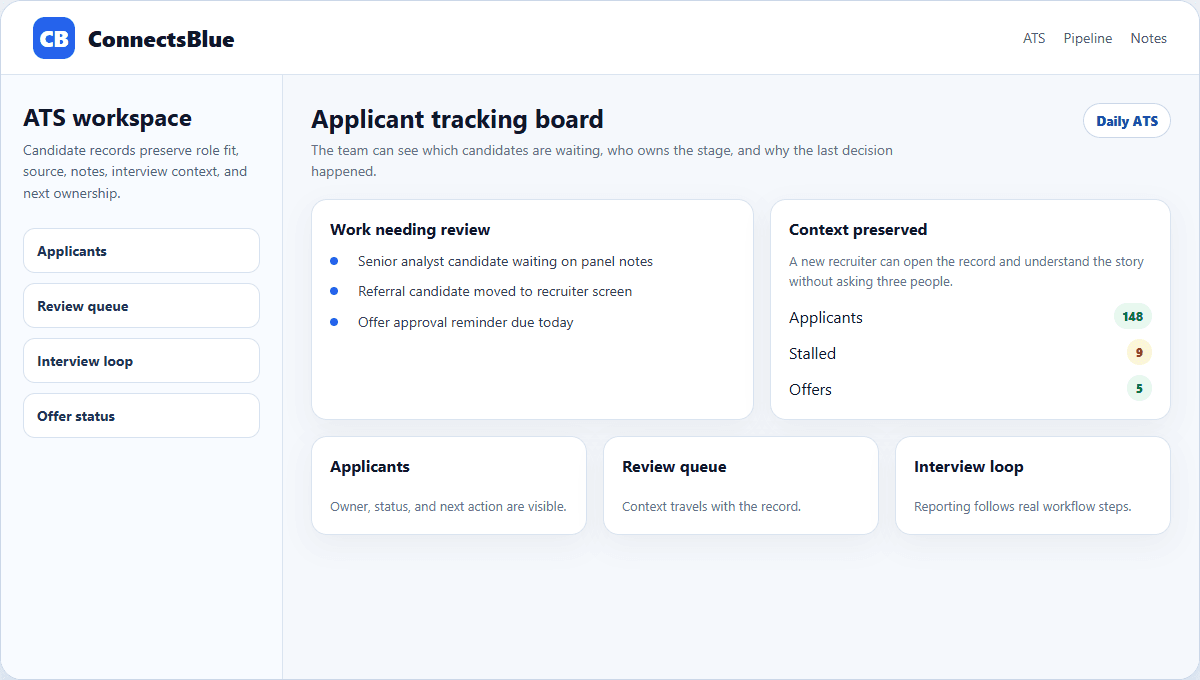
An applicant tracking system should do more than store resumes. The useful version gives recruiters a reliable place to review candidates, see role context, capture decisions, and notice when follow-up is slipping.
The wrong ATS becomes a filing cabinet with a search box. The right one becomes the operating layer for requisitions, applications, interviews, scorecards, offers, and reporting. That distinction matters more than whether a vendor uses trendy feature language.
Core job
An ATS should preserve context from application to offer
Every candidate record should answer the practical questions a recruiter asks during the day: which role is this person tied to, why did they apply, what evidence has been reviewed, who owns the next step, and what decision was made last time.
If the system cannot keep that context visible, recruiters rebuild the story manually. That is where duplicated notes, missed handoffs, and vague rejection reasons start.
- Keep the approved requisition connected to every job posting.
- Show candidate source, stage, review status, and next owner together.
- Attach interview prompts, recordings, notes, and scorecards to the candidate record.
- Make stalled candidates visible before they become candidate-experience problems.
Evaluation
Evaluate the ATS by daily recruiter behavior
Workflow
Applicant review
What to inspect
Can reviewers compare fit signals without opening several tools?
Weak signal
Recruiters download resumes to sort manually.
Workflow
Stage movement
What to inspect
Can a candidate move forward with a reason and owner attached?
Weak signal
Stage changes happen without written context.
Workflow
Panel feedback
What to inspect
Can interview evidence be compared across interviewers?
Weak signal
Feedback is scattered across chat, email, and docs.
Workflow
Reporting
What to inspect
Can leaders see aging, source quality, and conversion without spreadsheet cleanup?
Weak signal
Reports require manual exports.
Implementation
Start with fewer stages and better definitions
Most ATS rollouts get messy when every team adds its own stage names. Keep the first version simple: applied, reviewed, screen, interview, offer, hired, and closed. Add sub-states only when they change ownership or reporting.
The goal is shared language. A hiring manager should know what each stage means without asking a recruiter to decode the pipeline.
Applied
Candidate entered through a job page, referral, sourcing motion, or import.
Reviewed
A recruiter or hiring manager has inspected role fit and recorded an action.
Interview
The candidate is in a structured screen, panel, or assessment workflow.
Offer
Compensation, approval, letter, and acceptance tracking are active.
Governance
Keep automation in the parts that should be repeatable
Automation is useful for routing, reminders, structured forms, duplicate checks, and reporting hygiene. It should not hide why a candidate advanced or why they were declined.
A healthy ATS still leaves a human-readable trail: the role requirement, the evidence reviewed, the interview signal, the decision owner, and the next action.
Implementation notes
How to use this guide in a real hiring workflow
Use this article as a working review document, not just a buying overview. Compare applicant tracking system guide for hiring teams with the way your team currently works, then fix the places where ownership, evidence, or candidate communication is unclear.
- Name the owner for the stage before changing configuration.
- Define the evidence recruiters and managers should capture.
- Review candidate-facing messages for clarity and tone.
- Measure whether the change reduced delay, rework, or ambiguity.
Questions teams ask
Applicant Tracking System Guide for Hiring Teams FAQ
What should an ATS track?
It should track roles, applications, candidate source, stage, owner, notes, interviews, scorecards, offer status, and reporting data.
How many ATS stages should a team start with?
Start with the smallest set that matches real ownership changes. Add stages only when they improve handoff clarity or reporting.
Can an ATS improve candidate experience?
Yes, when it helps teams respond faster, avoid lost candidates, and keep interview steps clear.
Next step
Run the ATS as a shared hiring workspace.
Use ConnectsBlue to connect candidate review, interview evidence, scorecards, and pipeline follow-up in one recruiter workspace.
Explore recruiting software