Recruitment reporting
Recruitment Reporting Guide for Hiring Leaders
How to build recruiting reports that explain progress, risks, and next actions instead of repeating generic funnel charts.
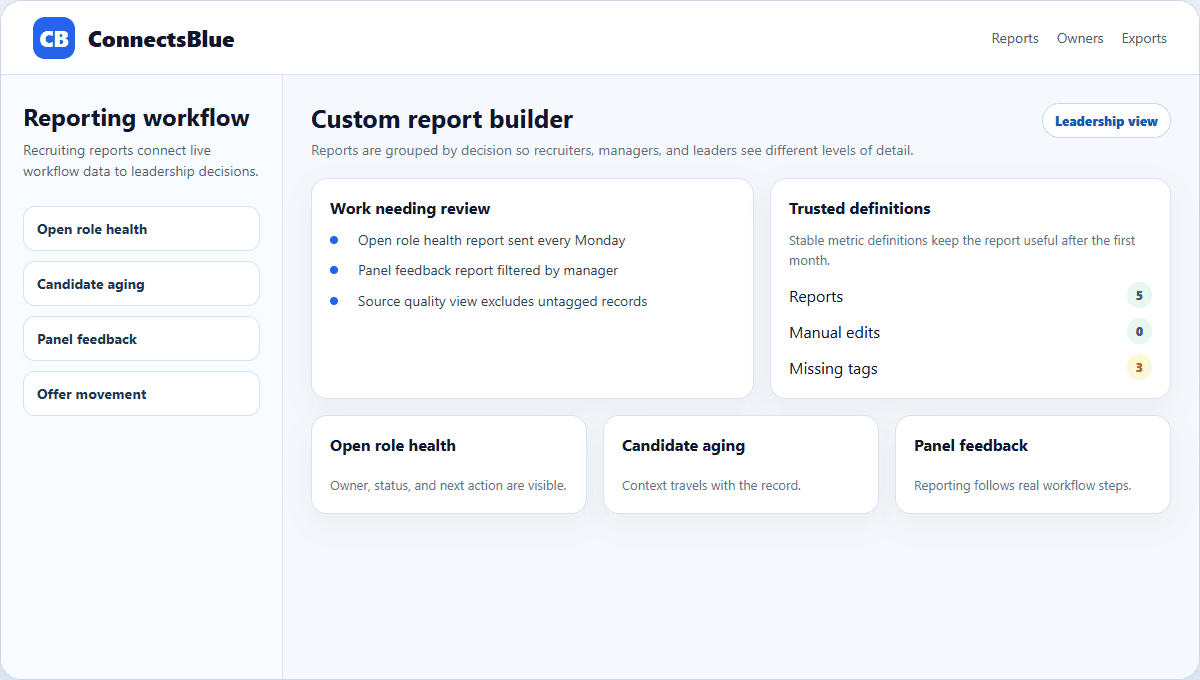
Recruitment reporting should help leaders understand whether hiring is moving, where risk is growing, and which decision needs attention. It should not be a monthly export that arrives too late to change anything.
A useful report connects numbers to the workflow: requisitions approved, candidates reviewed, screens completed, scorecards submitted, offers extended, and roles closed.
Report design
Start every report with the decision it supports
Before adding a chart, name the decision the report should help someone make. A recruiter needs candidate follow-up. A hiring manager needs interview feedback status. A leader needs role aging and forecast risk.
Reports become clearer when they are grouped by audience instead of cramming every metric into one dashboard.
- Give recruiters a worklist of candidates needing action.
- Give managers a view of open feedback, stage aging, and panel ownership.
- Give leaders a summary of open roles, source quality, offers, and risk.
- Keep historical reporting separate from daily operating reports.
Report set
Use a small set of reports teams actually read
Report
Open role health
Audience
Recruiting leader
Question answered
Which roles are at risk and why?
Report
Candidate aging
Audience
Recruiters
Question answered
Which candidates need a decision or follow-up today?
Report
Panel feedback
Audience
Hiring managers
Question answered
Which interviews lack usable feedback?
Report
Source quality
Audience
Talent acquisition
Question answered
Which channels send candidates who move forward?
Report
Offer movement
Audience
Leadership
Question answered
Which offers are pending, accepted, or blocked?
Data quality
Reporting quality depends on workflow discipline
A report cannot fix inconsistent stage names, missing feedback, or source tags added after the fact. The recruiting workflow has to capture the right data as work happens.
Stage consistency
Use the same stage definitions across role families unless ownership truly differs.
Feedback completion
Require structured scorecards before treating an interview as complete.
Source attribution
Capture source at application or outreach, not after a hire is made.
Offer state
Separate draft, sent, pending, accepted, declined, and withdrawn offers.
Presentation
Write the interpretation next to the metric
A leader should not have to guess whether a number is good or bad. Add a plain-language note: what changed, why it matters, and what the team is doing next.
This small habit makes reporting feel human and operational instead of machine-generated.
Implementation notes
How to use this guide in a real hiring workflow
Use this article as a working review document, not just a buying overview. Compare recruitment reporting guide for hiring leaders with the way your team currently works, then fix the places where ownership, evidence, or candidate communication is unclear.
- Name the owner for the stage before changing configuration.
- Define the evidence recruiters and managers should capture.
- Review candidate-facing messages for clarity and tone.
- Measure whether the change reduced delay, rework, or ambiguity.
Questions teams ask
Recruitment Reporting Guide for Hiring Leaders FAQ
What should a recruitment report include?
It should include role status, candidate aging, stage conversion, source quality, interview feedback, offer movement, and clear next actions.
How do you make recruiting reports more useful?
Design each report for a specific audience and decision, then keep definitions stable so trends are trusted.
Why do recruiting reports become unreliable?
They become unreliable when source tags, stage names, scorecards, or offer states are incomplete or inconsistent.
Next step
Turn recruiting reports into operating decisions.
Use ConnectsBlue to keep reporting tied to live roles, candidate movement, feedback, and offer follow-up.
Explore recruiting software