Offer to day one
Automated Onboarding Workflow Guide
How to move from signed offer to first day with clear tasks, owners, documents, and handoffs instead of scattered reminders.
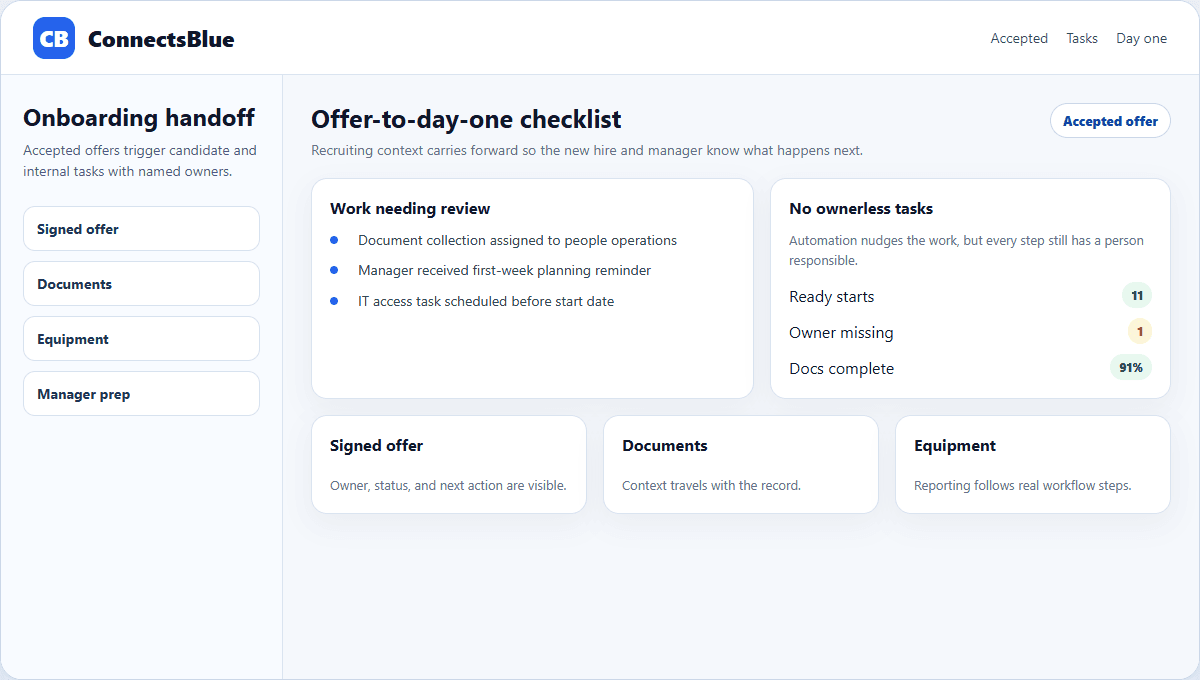
Onboarding starts before the first day. The moment a candidate accepts, the team needs a clean handoff from recruiting to operations, manager preparation, document collection, and first-week planning.
Automation helps when it makes those repeatable steps visible. It becomes risky when it sends generic messages without a real owner or timeline.
Handoff
Treat onboarding as a workflow, not a welcome email
The recruiting team already holds important context: compensation, start date, role expectations, interview notes, relocation details, and candidate communication preferences. Onboarding should carry that context forward instead of asking the new hire to repeat everything.
- Confirm signed offer, start date, manager, work mode, and location.
- Assign document collection, equipment, access, and first-week owners.
- Send only messages that match the candidate stage and region.
- Keep the hiring manager visible in the process before day one.
Workflow map
Separate candidate tasks from internal tasks
Area
Documents
Candidate-facing task
Complete required forms and identity checks.
Internal owner
People operations or HR admin.
Area
Equipment
Candidate-facing task
Confirm shipping address or pickup details.
Internal owner
IT or workplace operations.
Area
Manager prep
Candidate-facing task
Review role plan and first-week schedule.
Internal owner
Hiring manager.
Area
Access
Candidate-facing task
Receive login instructions at the right time.
Internal owner
IT systems owner.
Automation
Automate reminders, not accountability
A reminder can nudge a task, but it cannot decide who owns the relationship with the new hire. Keep each onboarding step tied to a person who can answer questions and unblock delays.
Good automation
Send timed reminders, collect forms, update task status, and alert owners when something slips.
Weak automation
Send the same checklist to every hire regardless of role, location, or start date.
Good handoff
Recruiting notes flow into manager prep and first-week planning.
Weak handoff
The candidate accepts an offer and disappears into an email thread.
Quality check
Measure whether onboarding reduced uncertainty
The best onboarding metric is not the number of tasks created. It is whether the new hire knows what happens next, whether the manager is ready, and whether internal owners complete their work before start date.
Implementation notes
How to use this guide in a real hiring workflow
Use this article as a working review document, not just a buying overview. Compare automated onboarding workflow guide with the way your team currently works, then fix the places where ownership, evidence, or candidate communication is unclear.
- Name the owner for the stage before changing configuration.
- Define the evidence recruiters and managers should capture.
- Review candidate-facing messages for clarity and tone.
- Measure whether the change reduced delay, rework, or ambiguity.
Questions teams ask
Automated Onboarding Workflow Guide FAQ
What is an automated onboarding workflow?
It is a structured set of candidate and internal tasks that starts after offer acceptance and keeps owners, deadlines, documents, and communication visible.
What should onboarding automation avoid?
It should avoid generic messaging, ownerless tasks, and checklists that ignore role, location, work mode, or start date.
When should onboarding start?
It should start immediately after offer acceptance, with manager preparation and internal setup happening before the first day.
Next step
Keep offer acceptance connected to day-one readiness.
Use ConnectsBlue to keep hiring context, offer status, and onboarding handoffs visible after the candidate says yes.
View employer tools