Recruiter messaging

Bulk Recruiting Messaging Guide

How to message candidates at scale while keeping ownership, relevance, and candidate experience intact.
CB
ConnectsBlueMarch 2, 202610 min readRecruiting
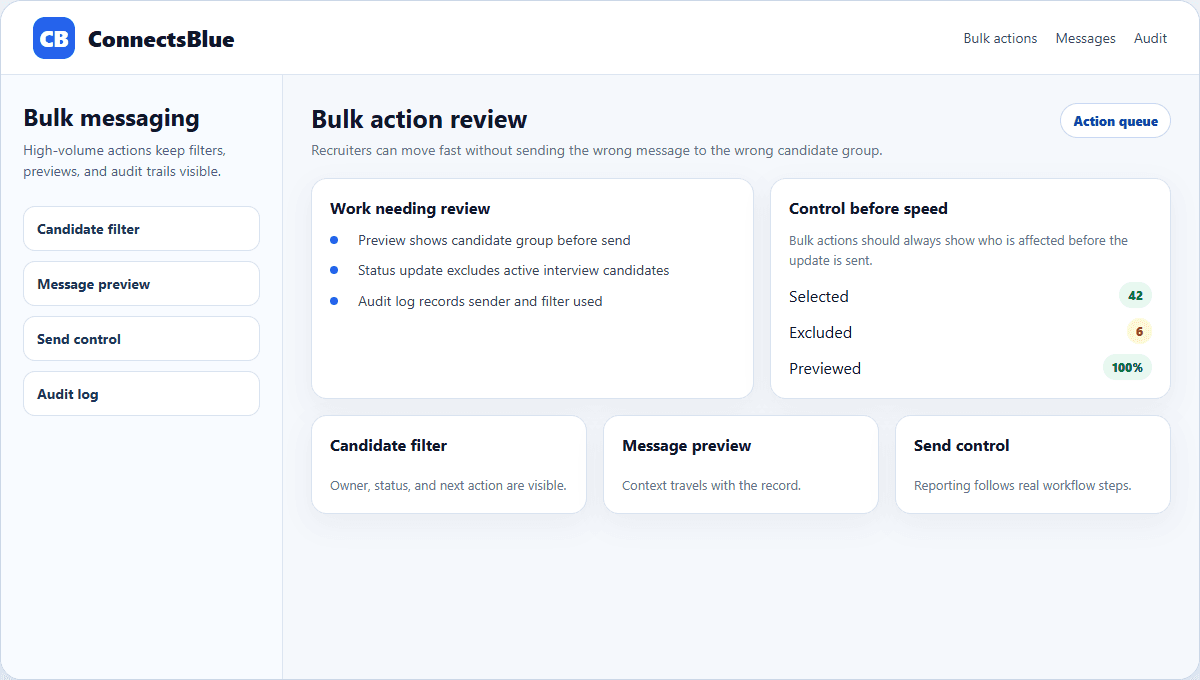
ConnectsBlue recruiter messaging workspace with selected candidates and message preview
ConnectsBlue messaging workflow showing selected candidates, segment context, and recruiter review.

Bulk recruiting actions are useful when they remove repetitive administration. They are damaging when they turn candidates into a mailing list.

The right workflow lets recruiters act on a segment while still checking fit, message context, owner, and follow-up path before anything is sent.

Use case

Use bulk actions for repetitive work, not judgment

Moving ten candidates from reviewed to screen can be reasonable if the same evidence applies. Rejecting a whole group without checking context is where quality and trust fall apart.

  • Bulk-send availability requests after a shortlist is reviewed.
  • Bulk-update stage only when the decision rule is explicit.
  • Bulk-tag candidates after an event or import with a named owner.
  • Avoid bulk rejection when candidate evidence differs meaningfully.

Message quality

Personalization starts before the merge field

Layer

Segment

What to check

Does everyone selected share the same role reason?

Weak version

Sending to everyone with one keyword.

Layer

Context

What to check

Can the note mention the candidate source or prior interaction?

Weak version

Only inserting first name.

Layer

Next step

What to check

Is the requested action clear and easy?

Weak version

A vague "let us know" ending.

Layer

Owner

What to check

Can a recruiter handle replies quickly?

Weak version

Replies go to a shared inbox nobody watches.

Workflow

Preview the candidate experience before sending

A bulk message should have a review step. Recruiters need to see the segment, exclusions, message body, reply owner, and follow-up rule before the system sends anything.

Review selected candidates

Confirm the segment is narrow enough for one message to make sense.

Check exclusions

Remove candidates who opted out, recently declined, or are active in another process.

Preview message

Read the note as a candidate, not as an operator checking a template.

Plan replies

Assign follow-up ownership before replies start arriving.

Safety

Measure replies and complaints, not just sends

The easiest number to inflate is sent messages. Better signals are reply quality, opt-outs, booked screens, candidate complaints, and whether recruiters can keep up with responses.

Implementation notes

How to use this guide in a real hiring workflow

Use this article as a working review document, not just a buying overview. Compare bulk recruiting messaging guide with the way your team currently works, then fix the places where ownership, evidence, or candidate communication is unclear.

  • Name the owner for the stage before changing configuration.
  • Define the evidence recruiters and managers should capture.
  • Review candidate-facing messages for clarity and tone.
  • Measure whether the change reduced delay, rework, or ambiguity.

Questions teams ask

Bulk Recruiting Messaging Guide FAQ

What are bulk recruiting actions?

They are recruiter workflows that apply one action, such as tagging, messaging, or stage movement, to a reviewed candidate segment.

How can bulk messaging avoid spam?

Keep segments narrow, use real candidate context, respect opt-outs, and assign a recruiter to handle replies.

Should recruiters use bulk rejection?

Use caution. Bulk rejection is only appropriate when the same clear rule applies and each candidate still receives accurate status handling.

Next step

Scale recruiter actions without flattening candidate context.

Use ConnectsBlue to review segments, preview messages, and keep reply ownership visible.

View employer tools

Workflow notes

What to verify before acting on Bulk Recruiting Messaging Guide

Bulk Recruiting Messaging Guide looks at sourcing as a workflow discipline: channel quality, candidate history, outreach timing, and stale pipeline cleanup.

Designed for Indian recruiters, HR teams, founders, hiring managers, and placement cells. Use this guide to increase qualified candidate flow without losing control of quality.

For this topic, the useful lens is sourcing and candidate engagement. Look for the decision you need to make next, the evidence that supports it, and the small workflow change that will improve the result.

Indian employers balance job boards, referrals, agencies, social hiring, campus drives, and walk-ins, so source governance matters.

The evidence model should be smaller than most teams expect. Capture the details that change decisions and ignore vanity fields that only make reports look complete.

Focuses on workflow clarity, candidate trust, stage ownership, and decision data. Start with one hiring motion, define the workflow, then scale the system.

Covers high-volume hiring, lateral roles, fresher drives, distributed panels, and offer-stage risk. Keep automation accountable to recruiters and hiring managers, not the other way around.

Use the checklist beside this section as a final quality pass for Bulk Recruiting Messaging Guide. A strong answer should mention the audience, the stage, the constraint, the evidence source, the workflow owner, and the next decision.

Review before acting
  • Pick one hiring workflow to standardize first.
  • Define stage names, owners, required fields, and decision criteria.
  • Create scorecards or review templates before adding automation.
  • Audit candidate messages for clarity, timing, and tone.
  • Track source quality, stage aging, interview feedback, and offer drop-off weekly.

Workflow intake

Start sourcing and candidate engagement with the handoffs, not the software menu

Bulk Recruiting Messaging Guide should begin with the handoff the team needs to protect: bulk recruiting actions messaging. If that handoff is vague, every dashboard, reminder, and candidate message inherits the same confusion.

Evidence model

What the team should capture for bulk recruiting actions messaging

The evidence model should be smaller than most teams expect. Capture the details that change decisions and ignore vanity fields that only make reports look complete.

What makes this guide different

A responsible bulk-messaging workflow

Bulk recruiting actions are useful only when they preserve context. Start by segmenting candidates tightly by role family, stage, location, availability, and last interaction, then write one message that explains why that group is receiving the outreach now.

The strongest messaging workflow combines speed with review. Recruiters should preview merge fields, suppress candidates with open conversations, check opt-out rules, and route replies back to the right owner so the campaign does not feel like a disconnected blast.

  • Segment before sending; do not message a whole database at once.
  • Preview every merge field that inserts name, role, company, or interview stage.
  • Exclude candidates who already have active recruiter conversations.
  • Use a reply owner so interested candidates are not left waiting.
  • Track positive replies, unsubscribes, bounces, and interview conversions separately.
  • Keep the message short, specific, and tied to a real hiring need.

Keep these boundaries in mind while applying the advice: Segment before sending; do not message a whole database at once. Preview every merge field that inserts name, role, company, or interview stage. Exclude candidates who already have active recruiter conversations. Use a reply owner so interested candidates are not left waiting. Track positive replies, unsubscribes, bounces, and interview conversions separately. Keep the message short, specific, and tied to a real hiring need. They make the page useful for this specific situation instead of repeating nearby articles in the same category.

If another guide seems to answer the same question, split the intent by workflow, evidence type, and reader decision. That keeps each article focused enough to be useful and complete.